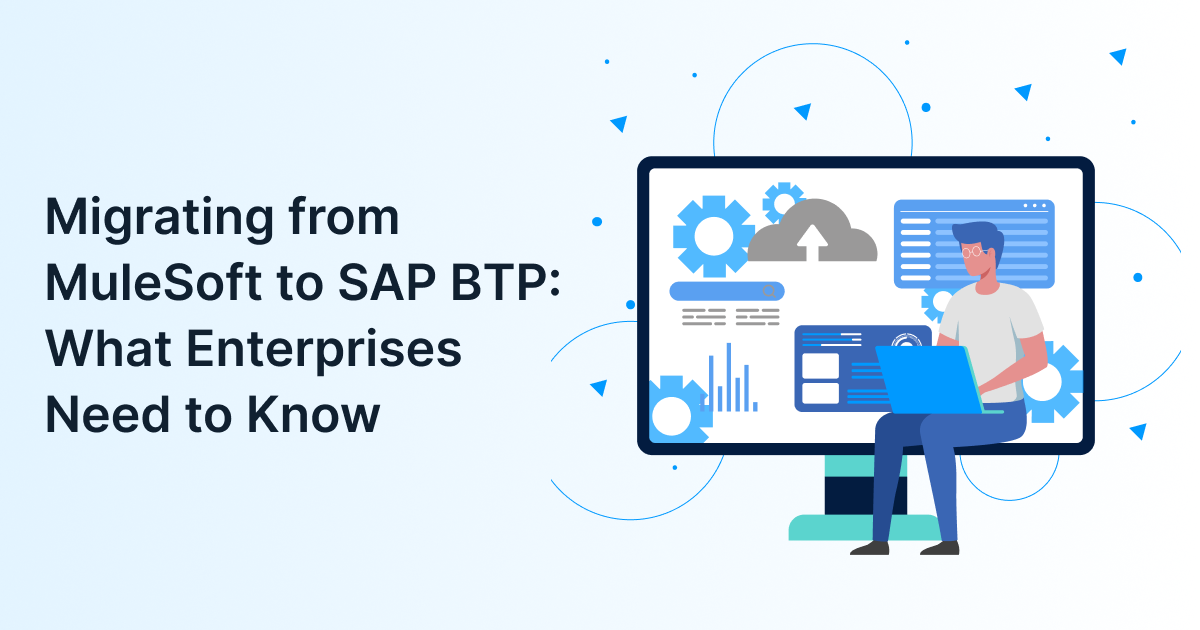
To execute a successful MuleSoft to SAP BTP Migration, you need a structured approach that aligns APIs, data flows & workflows with SAP Integration Suite while maintaining continuity. Enterprises must prioritise API migration services, adopt a hybrid integration platform & modernise their enterprise application integration strategy for long-term scalability.
As enterprise ecosystems evolve, many organisations are moving from MuleSoft to SAP BTP to unlock tighter SAP integration, improved operational efficiency & better scalability. This shift is not simply a platform change; it’s a complete overhaul of how integration software solutions power business workflows.
For enterprises exploring robust integration software solutions, SAP BTP offers a cloud-native integration platform designed to simplify enterprise application integration across complex landscapes.
Key Takeaways
- MuleSoft to SAP BTP Migration improves SAP-native integration
- SAP Integration Suite supports hybrid integration platform models
- Structured API migration services reduce risk and downtime
- Strong planning ensures seamless enterprise application integration
- Integration software solutions drive long-term transformation
Drive Digital Innovation & Transform Your Business
Struggling to find tailored IT solutions that truly accelerate your digital transformation journey? Partner with LedgeSure to unlock the true potential of technology.
What Is MuleSoft to SAP BTP Migration and Why Does It Matter?
To understand MuleSoft to SAP BTP Migration, you need to see it as a transition from MuleSoft’s Anypoint Platform to SAP Integration Suite, transforming APIs, integrations, and workflows into an SAP-native architecture that supports scalability, agility & seamless enterprise application integration.
What the migration typically involves –
- Re-architecting APIs using SAP Integration Suite capabilities
- Migrating workflows and orchestration logic
- Transforming data structures and mappings
- Leveraging hybrid integration platform capabilities
This migration becomes critical when organisations want tighter SAP alignment and more efficient integration software solutions.
Why Are Enterprises Moving from MuleSoft to SAP BTP?
To justify this migration, you need platforms that reduce integration complexity, lower costs, and align better with SAP ecosystems. SAP BTP enables enterprises to consolidate integration processes while improving performance and scalability.
Key Reasons Driving Migration –
- SAP-native connectivity: Strong integration with S/4HANA and SAP applications
- Cost optimisation: Lower licensing costs compared to MuleSoft
- Unified integration platform: Combines APIs, events & data integration
- Future-ready architecture: Supports AI, analytics & automation
| 💡 Did You Know?
“According to SAP’s official Integration Suite documentation, companies leveraging prebuilt integrations and automation features can accelerate integration development by up to 30%, significantly improving time-to-value.” |
How Does SAP Integration Suite Compare to MuleSoft?
To choose the right platform, you need to compare ecosystem fit, scalability & integration capabilities. SAP Integration Suite is ideal for SAP-centric organisations, while MuleSoft remains broader but often more complex and costly.
| Feature | MuleSoft | SAP Integration Suite |
| Ecosystem Fit | Multi-platform | SAP-centric optimisation |
| Integration Style | API-led connectivity | Hybrid integration platform |
| Deployment | Flexible | Cloud-first |
| Cost | Higher licensing tiers | Competitive for SAP users |
| Prebuilt Integrations | Strong | Strong for SAP ecosystem |
For enterprises planning modernisation alongside migration, aligning this decision with a broader strategy like this integration modernization roadmap for large enterprises ensures better long-term ROI.
What Are the Key Steps in MuleSoft to SAP BTP Migration?
To successfully migrate, you need a phased approach that includes assessment, architecture design, API transformation, testing & optimisation. Missing any step can increase risk and delay outcomes.
-
Assessment & Discovery
Identify existing MuleSoft APIs, integrations & dependencies
Evaluate system complexity and data flows
Map out enterprise application integration gaps
-
Migration Strategy & Architecture Design
Define target SAP BTP architecture
Choose hybrid integration platform approach
Plan integration software solutions roadmap
-
API Migration Services Execution
Convert MuleSoft APIs into SAP-compatible APIs
Redesign mappings and transformations
Ensure compliance with SAP Integration Suite structure
-
Testing & Validation
Perform functional and regression testing
Conduct performance benchmarking
Validate end-to-end workflows
-
Deployment & Continuous Optimisation
Execute phased rollout
Monitor integrations post-deployment
Optimise for performance and scalability
What Challenges Should You Expect During Migration?
To minimise risk, you need to anticipate challenges such as API incompatibility, skill gaps, and data complexity. Planning ahead helps ensure smoother enterprise application integration outcomes.
Common Challenges:
- API incompatibility: MuleSoft APIs may need redesign for SAP
- Data transformation issues: Differences in data structures can complicate migration
- Skill gaps: Teams may lack SAP BTP expertise
- Downtime risk: Poor planning can disrupt critical operations
How to Overcome Them:
- Use expert API migration services
- Invest in skilled SAP BTP consultants
- Adopt proven integration software solutions frameworks
How Does a Hybrid Integration Platform Support Migration?
To manage legacy systems and cloud applications simultaneously, you need a hybrid integration platform that ensures seamless connectivity, flexibility & scalability across environments.
Key Benefits:
- Supports both on-premise and cloud systems
- Enables real-time data synchronisation
- Ensures continuity during migration
- Scales enterprise application integration efficiently
This becomes especially important when enterprises align migration with broader initiatives like cloud migration strategies for modern workloads.
Industry Insights and Real Data
To validate migration decisions, you need credible, data-backed insights that highlight integration trends and adoption rates.
“According to MuleSoft’s Connectivity Benchmark Report, only 32% of enterprise applications are connected on average, highlighting the urgent need for modern integration platforms and API-led connectivity.”
When Should Enterprises Consider MuleSoft to SAP BTP Migration?
To determine the right timing, you need to evaluate cost pressures, system performance & long-term transformation goals. Migration should align with enterprise-wide modernisation strategies.
Signs You’re Ready –
- Rising MuleSoft licensing costs
- Increased reliance on SAP ecosystem
- Need for scalable integration platform
- Legacy APIs limiting flexibility
Empower Your Workforce with AI & Automated Innovations
Want to boost efficiency and reduce costs? Explore how LedgeSure’s AI-driven solutions simplify workflows and drive real outcomes.
What Role Do API Migration Services Play in Success?
To ensure a seamless migration, you need API migration services that handle transformation, mapping, testing & optimisation while maintaining system performance and business continuity.
Why They Are Critical –
- Reduce downtime and operational risks
- Ensure API compatibility with SAP BTP
- Maintain data integrity during migration
- Accelerate implementation timelines
They are a cornerstone of enterprise-grade integration software solutions.
Conclusion
Migrating from MuleSoft to SAP BTP is a strategic move that goes beyond technology, it reshapes how your enterprise handles integration, scalability, and digital transformation. With the right mix of api migration services, a strong integration platform & modern integration software solutions, businesses can achieve seamless enterprise application integration.
If you’re planning your MuleSoft to SAP BTP Migration, aligning with the right partner can make all the difference. Ready to start your migration journey? Connect with our experts.