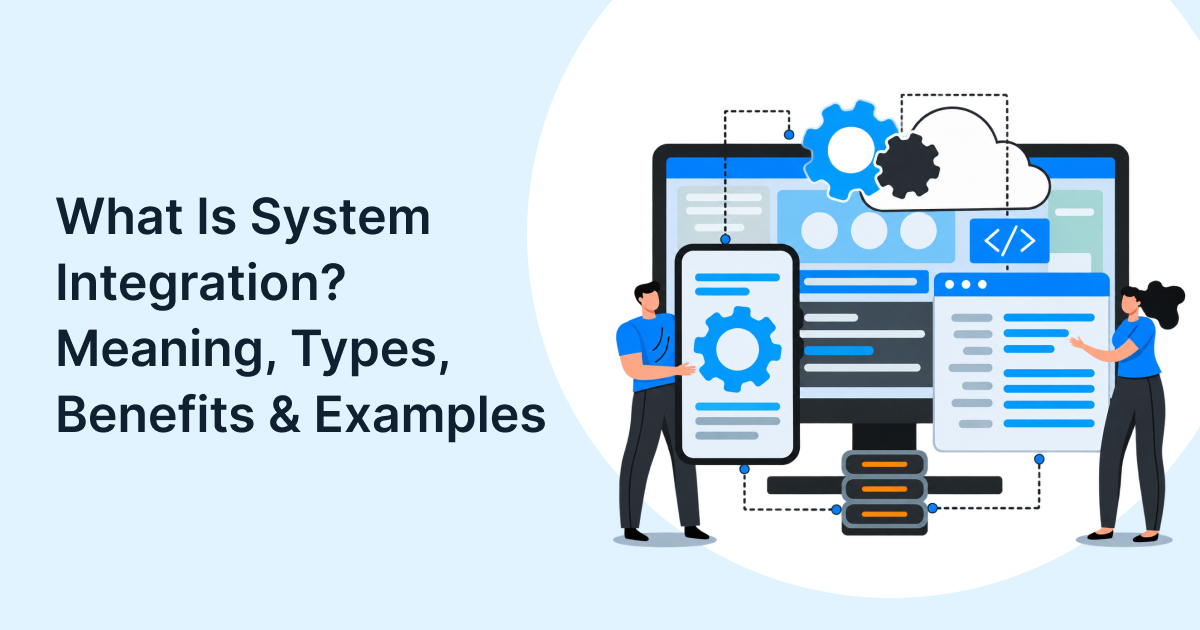
System integration is the process of connecting separate software applications, databases, devices, and external services so they exchange data and operate as one coordinated environment. It removes manual handoffs, keeps records consistent, and allows business processes to run across departments and partners.
Most enterprises do not run on one system. Sales teams use a CRM, finance runs an ERP, operations rely on warehouse or logistics tools, and customers interact through websites, mobile apps, and support platforms. When these systems cannot communicate, teams re-enter data, reconcile conflicting records, and make decisions from incomplete information.
System integration solves that problem by creating controlled connections between systems. It can be as simple as linking a form to a CRM or as complex as connecting an ERP, e-commerce platform, payment gateway, warehouse system, and partner network through APIs and middleware. For organisations evaluating enterprise integration engineering services, the goal is not merely to move data, it is to make business processes reliable, observable, and scalable.
This guide explains the system integration meaning, the main integration types, practical benefits, real-world examples, and the decisions that determine whether an integration programme succeeds.
How System Integration Works
System integration works by establishing a defined pathway for data and events to move between systems, then applying rules for validation, transformation, routing, and error handling.
A typical integration includes four layers:
- Source and target systems: The applications that create or consume information, such as a CRM, ERP, HR platform, or e-commerce store.
- Connection layer: APIs, database links, file transfers, message queues, or event streams that carry information between systems.
- Transformation and business rules: Logic that converts fields, formats, units, currencies, statuses, or identifiers so each system understands the data.
- Monitoring and governance: Logging, alerts, retries, access controls, and audit trails that keep the integration dependable.
Consider an order placed on an e-commerce website. The integration layer can send the order to the ERP, check inventory, create a fulfilment task, notify the customer, and update the CRM, all without an employee copying details between screens. If inventory is unavailable, the integration can trigger an exception workflow instead of silently failing.
The difference between a fragile integration and a production-grade one is usually not the initial connection. It is the handling of change: new fields, failed messages, duplicate records, API version updates, security requirements, and business exceptions.

Types of System Integration
The main types of system integration differ by how systems connect, where integration logic lives, and how easily the environment can change.
| Type | How it works | Best suited to | Main trade-off |
| Point-to-point integration | Each system connects directly to every other system it needs | Small environments with few stable systems | Connections multiply quickly as systems are added |
| Vertical integration | Systems are connected within one function or process, such as finance or supply chain | Department-specific process automation | Can create functional silos |
| Horizontal integration | A shared middleware layer, such as an ESB or integration platform, routes communication | Enterprises with many applications | Requires governance and platform ownership |
| API-led integration | Reusable APIs expose data and functions for internal and external consumers | Organisations that need scalability, partner connections, and reuse | Requires API design, security, and lifecycle management |
| Event-driven integration | Systems publish events, such as “order created,” and subscribed systems respond | Real-time operations and cross-system workflows | Needs strong event design and observability |
| Data integration | Data is consolidated, transformed, or synchronised for reporting and analytics | Business intelligence, data warehouses, and AI readiness | Does not always automate operational workflows |
Point-to-point integration is often the fastest starting point. Connecting a CRM directly to an email platform, for example, may be perfectly reasonable when only two systems and a limited data set are involved. The challenge appears at scale: ten systems can require many direct connections, each with its own authentication, mapping, monitoring, and maintenance burden.
Horizontal integration reduces that complexity by placing a shared layer between systems. Instead of every application knowing every other application’s format, the middleware translates and routes information. API-led connectivity takes this further by treating APIs as reusable, governed assets rather than one-off connections; IBM describes this approach to replace complex point-to-point patterns with more flexible, scalable integration.
Event-driven integration is increasingly important where speed matters. A payment confirmation, inventory change, shipment update, or customer support ticket can trigger downstream actions immediately, rather than waiting for a scheduled batch process.
System Integration vs. Data Integration
System and data integration overlap, but they solve different problems.
System integration connects applications and processes so work can flow across systems. Data integration consolidates and prepares data from multiple sources so people and analytical tools can use it consistently.
For example, integrating a CRM with an ERP is system integration: a qualified opportunity can become an order, invoice, and fulfilment record without manual re-entry. Building a customer 360 view in a data warehouse is data integration: information from sales, support, billing, and product usage is cleaned, modelled, and made available for reporting.
Both are essential. Data integration gives leaders a reliable view of the business; system integration makes the business act on that view. A company may have excellent dashboards but still require employees to update three systems manually if its operational workflows remain disconnected.
For a deeper view of the data layer, see Ledgesure’s guide to enterprise data integration and building a connected data ecosystem.
Advantages of System Integration
The advantages of system integration extend beyond saving time on data entry. A well-designed integration environment improves operational reliability, decision quality, and the ability to change without disruption.
- Fewer manual errors: Automated data transfer reduces duplicate entry, mismatched records, and missed handoffs.
- Faster processes: Orders, approvals, onboarding steps, and support requests move between systems without waiting for a person to relay them.
- Better data consistency: A customer, product, invoice, or inventory record can follow one governed flow instead of diverging across departments.
- Improved visibility: Teams can see order status, stock levels, customer history, and financial impact in the systems where they work.
- Stronger customer experience: Service, sales, billing, and fulfilment teams can act on the same current information.
- Greater scalability: New channels, partners, applications, and markets can be added through reusable interfaces rather than rebuilding connections each time.
- Lower operational friction: Teams spend less time reconciling spreadsheets and more time resolving exceptions and improving processes.
These benefits depend on design quality. An integration that moves data quickly but lacks validation, ownership, monitoring, or error handling can create new problems at scale.
Examples of System Integration
System integration examples become clearer when viewed through a business process rather than a technology label.
ERP and CRM integration
When a sales team closes an opportunity in the CRM, an integration can create a customer record, sales order, billing details, and fulfilment request in the ERP. Finance gains accurate revenue data, operations receive timely order information, and sales can see delivery status without leaving the CRM.
E-commerce, inventory, and logistics integration
An online order can update inventory in real time, trigger warehouse picking, generate shipping labels, send tracking information to the customer, and reconcile payment data in the ERP. This prevents overselling, reduces support tickets, and shortens fulfilment cycles.
HR, payroll, and identity integration
When a new employee is onboarded, the HR system can provision access, create payroll records, assign equipment, and trigger training workflows. When someone leaves, the same integration can revoke access and update downstream systems.
Partner and B2B integration
A retailer can connect its purchasing system to supplier systems to automate purchase orders, invoices, shipment notices, and inventory updates. This is often called B2B integration and commonly uses APIs, EDI, or managed file transfer, depending on partner maturity.
Legacy system integration
Many enterprises still depend on older applications that cannot be replaced quickly. Integration can expose legacy data and functions through modern APIs, allowing new cloud applications to use them without a full rip-and-replace programme.
Choosing the Right Integration Approach
The right integration approach depends less on the newest technology and more on the number of systems, speed of change, data sensitivity, and need for reuse.
Ledgesure Integration Decision Framework
| Business situation | Practical starting approach | Why it fits |
| Two stable systems with a simple, low-volume flow | Point-to-point API or managed connector | Fast to implement and easy to maintain |
| Several systems within one department | Vertical integration with shared business rules | Keeps a functional process coherent |
| Many enterprise applications and frequent changes | Middleware, ESB, iPaaS, or API-led integration | Centralises routing, monitoring, and governance |
| Real-time operations across sales, fulfilment, and support | Event-driven architecture | Enables systems to react immediately to business events |
| Multiple partners, suppliers, or customer channels | API-led and B2B integration | Supports controlled external access and reusable services |
| Reporting, forecasting, or AI readiness | Data integration and warehouse/lakehouse patterns | Creates a consistent analytical foundation |
A useful rule is to start with the business outcome, then select the lightest architecture that meets reliability, security, and change requirements. A company does not need an enterprise service bus to connect two tools, but it should not build dozens of direct links if its application landscape is expanding.
For organisations with complex hybrid estates, middleware integration services provide a way to standardise how applications, APIs, events, and legacy systems communicate.
Security and Governance
Security is not an optional add-on to system integration; it is part of the architecture. Every connection expands the surface through which data, credentials, and business functions can be accessed.
A secure integration programme should include:
- Least-privilege access: Each integration should receive only the permissions required for its specific workflow.
- Strong authentication and authorisation: Tokens, certificates, and role-based controls should verify both the calling system and the data it may access.
- Data protection: Sensitive fields should be encrypted in transit and at rest, with masking or tokenisation where appropriate.
- API inventory and lifecycle management: Teams should know which APIs exist, which versions are live, and when older versions must be retired.
- Monitoring and auditability: Logs should show what moved, when, who triggered it, and how failures were resolved.
- Third-party risk controls: External APIs should be validated rather than implicitly trusted.
- These controls align with the OWASP API Security Top 10, which identifies risks including broken object-level authorisation, broken authentication, security misconfiguration, improper inventory management, and unsafe consumption of third-party APIs.
Governance matters as much as security tooling. Define who owns each integration, which system is the source of truth for each data object, how changes are approved, and what happens when an interface fails.
How AI Is Changing System Integration
AI is changing system integration from a back-office connectivity exercise into a foundation for intelligent operations.
AI assistants and agents need reliable access to accurate, permissioned data from ERP, CRM, document stores, product systems, and support platforms. Without integration, an AI tool can only reason over isolated data or produce generic responses. With integration, it can check inventory, retrieve an order history, summarise a customer case, or initiate a workflow, subject to appropriate controls.
A practical starting point is to integrate the systems an AI use case depends on before deploying the AI itself. For example, a support assistant should have governed access to customer records, order status, knowledge articles, and escalation workflows before it is allowed to answer account-specific questions.
Genova IQ, Ledgesure’s AI-powered enterprise intelligence platform, is relevant here because fragmented enterprise data often prevents AI from producing dependable, business-specific answers. Connecting the underlying systems and data sources helps create the governed foundation such intelligence tools need.
Integration Maturity Model
Many organisations struggle because they treat integration as a series of projects rather than a capability. This maturity model helps identify the current stage and the next practical investment.
| Stage | Typical signs | Priority action |
| 1. Manual | Teams export spreadsheets, email files, or re-enter data | Identify the highest-cost manual handoff |
| 2. Connected | Some systems exchange data, but connections are isolated | Document interfaces, owners, failures, and data ownership |
| 3. Coordinated | Core processes span systems with monitoring and exception handling | Standardise APIs, error handling, and integration testing |
| 4. Platform-led | Reusable APIs, events, and governance support new use cases quickly | Introduce an integration platform and product-style operating model |
| 5. Intelligent | AI and automation operate on trusted, governed data and workflows | Add access controls, observability, and human-in-the-loop safeguards |
Most enterprises do not need to reach stage five everywhere. The objective is to match maturity to business criticality: customer-facing and revenue-critical processes usually justify stronger governance and observability than internal, low-volume workflows.
Key Takeaways
- System integration connects separate applications, databases, devices, and external services so data and business processes can move across the enterprise without manual handoffs.
- The main integration types are point-to-point, vertical, horizontal, API-led, event-driven, and data integration. The right model depends on system count, change frequency, security needs, and reuse requirements.
- Integration improves accuracy, speed, visibility, and scalability, but only when data ownership, validation, monitoring, and exception handling are designed into the solution.
- System integration is broader than data integration: it connects operational workflows, while data integration prepares information for reporting, analytics, and AI.
- Security and governance must be built in from the start, especially for APIs connecting ERP, CRM, cloud platforms, and third-party partners.
- AI increases the need for integration because assistants and agents need governed access to accurate enterprise data and workflows.
- Start with the highest-impact business process, then choose the simplest architecture that meets reliability, security, and scalability needs.

Conclusion
System integration is how disconnected applications, data sources, and business processes become a coordinated digital enterprise. The most successful programmes start with a clear process outcome, choose an architecture that fits their scale, and treat security, ownership, and monitoring as core requirements.
If disconnected systems are slowing decisions or creating manual work, the next step is a focused integration assessment: map critical workflows, identify data owners, and prioritise the connections with the highest business impact. Contact Ledgesure to discuss an integration roadmap for your ERP, CRM, cloud, and legacy environment.
Frequently Asked Questions
Q: What is system integration with an example?
A: System integration connects separate applications, so they work as one environment. For example, an e-commerce order can automatically update inventory, create an ERP sales order, notify the warehouse, and update the CRM without manual data entry.
Q: What are the main types of system integration?
A: Common types include point-to-point, vertical, horizontal, API-led, event-driven, and data integration. The right choice depends on the number of systems, required speed, change frequency, security needs, and whether connections must be reused across teams or partners.
Q: What is the difference between system integration and application integration?
A: Application integration is a subset of system integration. It connects software applications, while system integration can also include databases, devices, networks, legacy platforms, external partners, and business processes.
Q: Why is system integration important for enterprises?
A: It reduces manual work, improves data accuracy, speeds up cross-department processes, and gives teams a consistent view of customers, orders, inventory, and financials. It also makes it easier to add new applications, channels, and partners without rebuilding the technology estate.
Q: Is API integration the same as system integration?
A: No. API integration is one common method of system integration. APIs provide a defined way for applications to request or exchange data, while system integration is the broader discipline of making systems, data, and processes work together.
Q: How long does a system integration project take?
A: There is no reliable universal timeline because scope varies widely. A two-system connector may take weeks, while an enterprise programme involving ERP, CRM, legacy platforms, partners, security review, testing, and change management can take several months or longer.